
Application Setup
Chrome
SafePass runs Bitwarden and is therefore compatible with the Bitwarden Chrome extension. Download the Chrome Extension
By default, the Bitwarden Apps are configured to connect their hosted servers. You will need to configure the extension to connect to SafePass
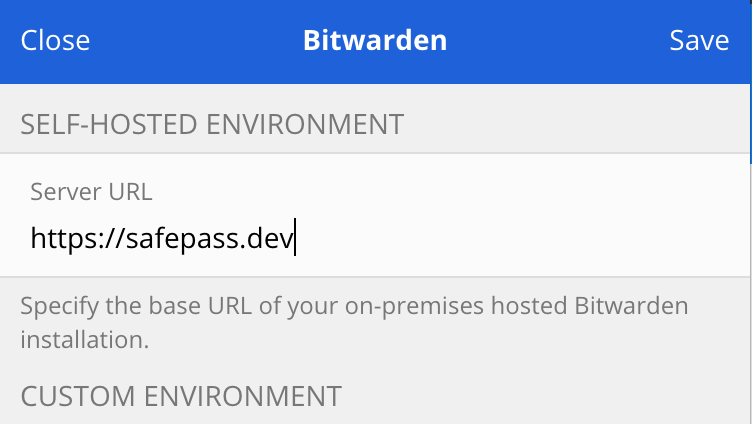
Click on the icon and enter https://safepass.dev in the Server URL field
Android
SafePass runs Bitwarden and is therefore compatible with the Bitwarden Android App. Download the Bitwarden Android App
By default, the Bitwarden Apps are configured to connect their hosted servers. You will need to configure the extension to connect to SafePass
Click on the icon and enter https://safepass.dev in the Server URL field
Apple iOS
SafePass runs Bitwarden and is therefore compatible with the Bitwarden iOS App. Download the Bitwarden iOS App
By default, the Bitwarden Apps are configured to connect their hosted servers. You will need to configure the extension to connect to SafePass
Click on the icon and enter https://safepass.dev in the Server URL field